Exterior#
I/O ports#
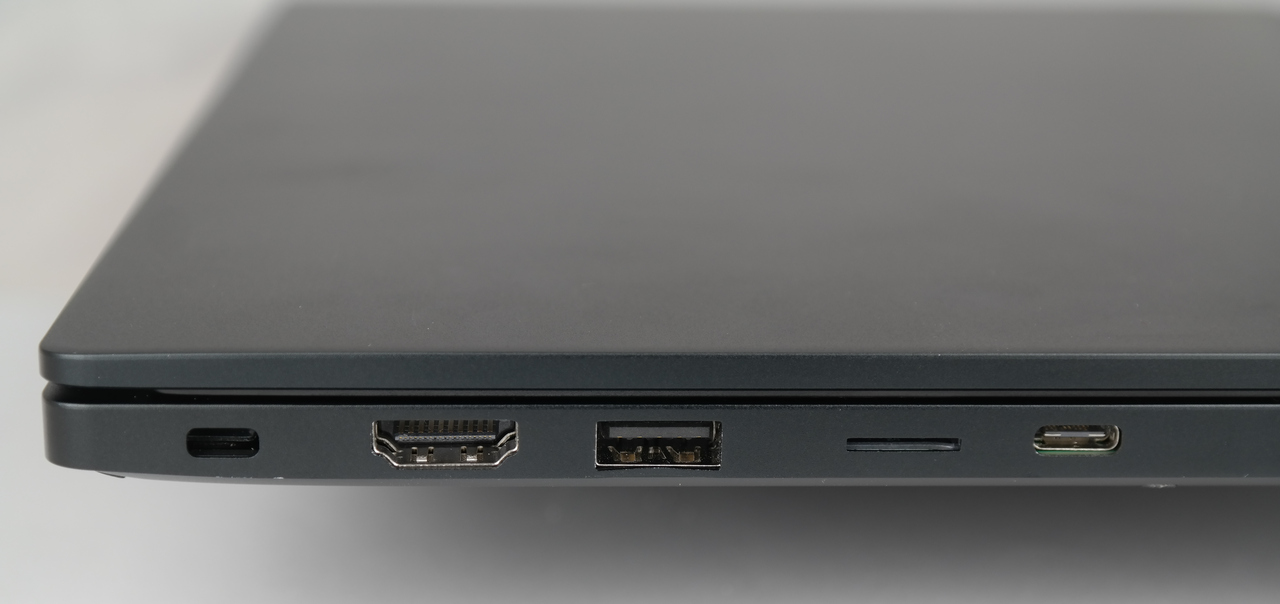
Left side from back to front:
Kensington lock hole (strictly not a connector)
HDMI
USB3.1 type-A
microSD card reader (push/pull spring loaded)
USB3.1 type-C (data only + 5V power source)

Right side, from back to front:
Power indicator LED (white / green / orange)
Charger input, barrel connector, 4mm, center +19V DC, outside GND
RJ45 gigabit Ethernet
USB3.1 type-A
USB3.1 type-C, full function with Display Port alt mode and Power Delivery sink
3.5mm headphone jack with microphone input
Note
A type-C charger must be able supply at least 19V. 60W or more recommended (it may work with less but then battery can be drained even with the charger connected).
Keyboard and touchpad#
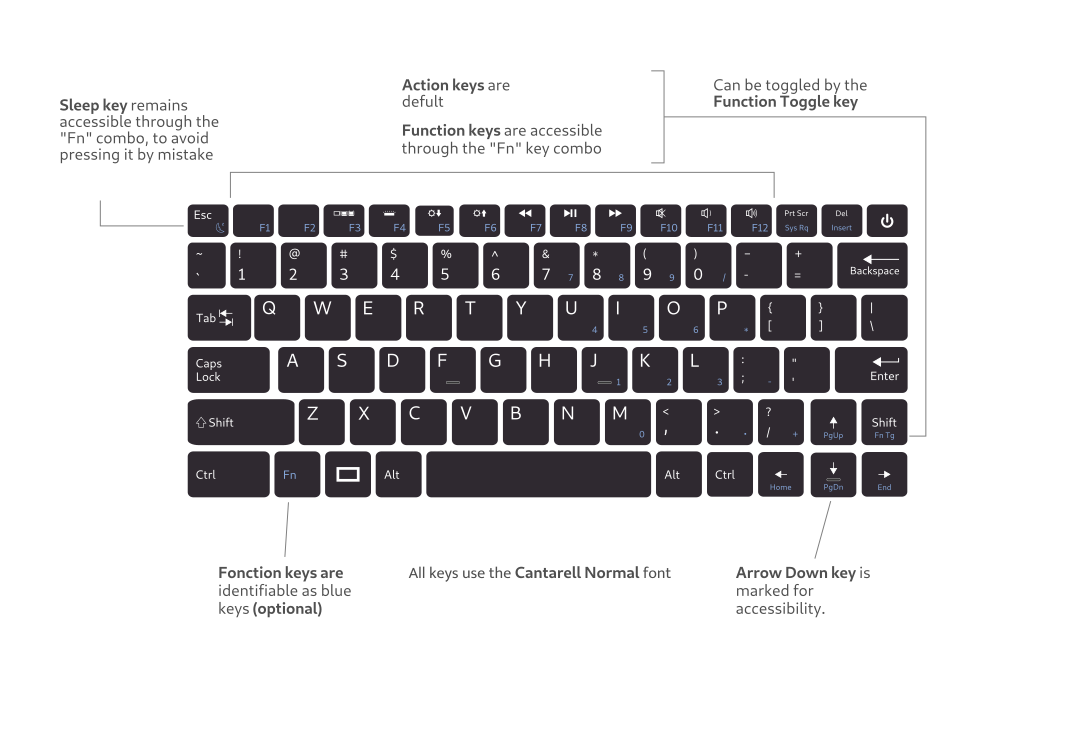
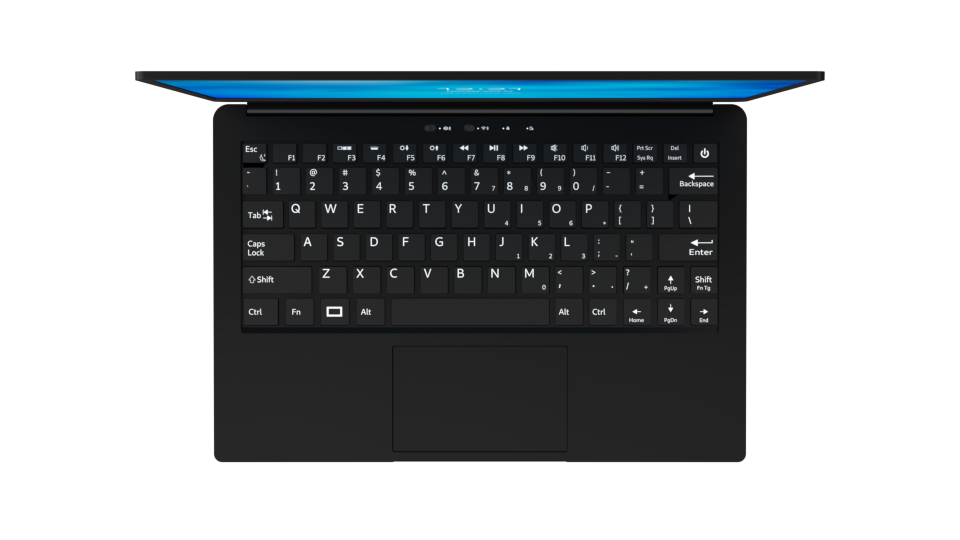
The keyboard features a dimmable white LED backlight. The touchpad is a I2C HID-compliant input device with one hardware push button (pushing the lower edge).
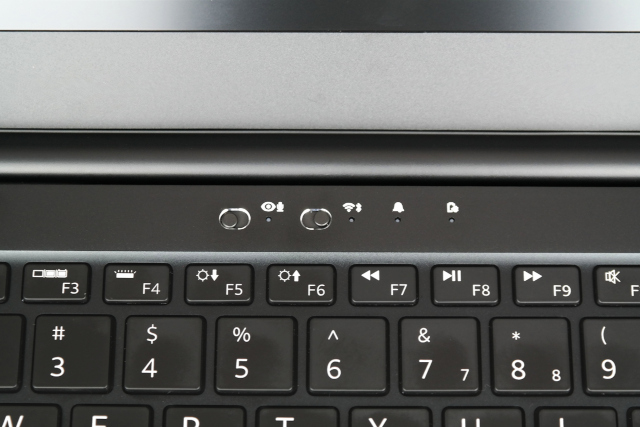
From left to right:
Hardware kill switch for camera and microphones (internal and external microphones will be cut off)
White LED indicator for cam/mic kill switch, LED on=cam/mic on, LED off=killed
- Hardware kill switch for Wi-Fi / Bluetooth
This severs power to the Wi-Fi / Bluetooth M.2 slot and enables the #DISABLE signal on the M.2 slot
- White LED indicator for Wi-Fi / Bluetooth, LED on=Wi-Fi/BT active, LED off=killed
The LED can be repurposed using the Librem EC ACPI driver
Software controllable notification LED, red / green / blue
Power state LED, same states as the outside power state LED:
State
Description
Off
Device is powered off
On
Device is powered on
Glowing / fading on/off
Device is in sleep mode
White
Normal operation
Green
Device battery is charging
Orange
Battery state of charge < 20%
Note
There is one case where the power state is ambiguous. When laptop is off but connected to the charger and charging, it shows a steady ‘green’ indicator until charging is finished, after which the LED turns off.